22.28 Create a New catastrophe Code. Version 1.0. Last updated January 2026
Create a New Catastrophe Code
Go to Administration
Under the Jobs section, select Catastrophe Codes
Click "Create Catastrophe Code"

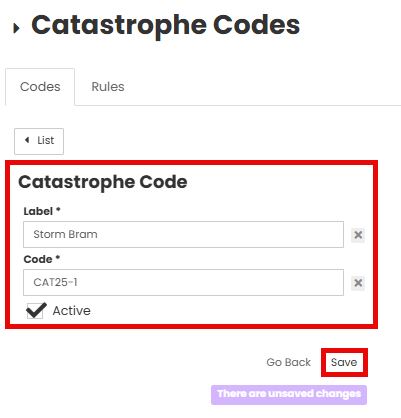
Fill out the label and code details.
Tick the Active box if the code needs to be active immediately.
Click Save
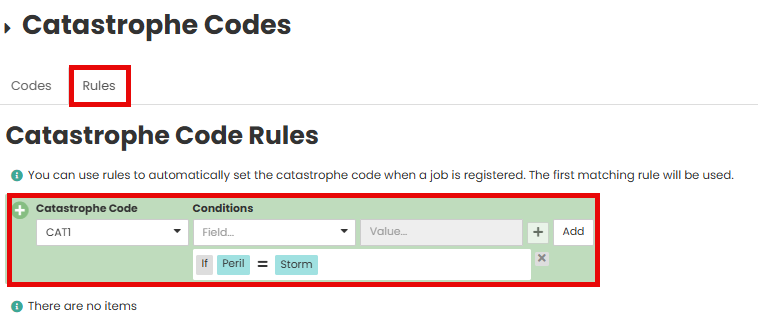
You can use Rules to automatically set the Catastrophe Code when a Job is registered. The first matching rule will be used
Was this article helpful?
That’s Great!
Thank you for your feedback
Sorry! We couldn't be helpful
Thank you for your feedback
Feedback sent
We appreciate your effort and will try to fix the article