22.43 Add A New Job Date Note Category
Add A New Job Date Note Category
Contractor Workspace has several existing, default job date note Categories that are locked, but custom categories can be added.
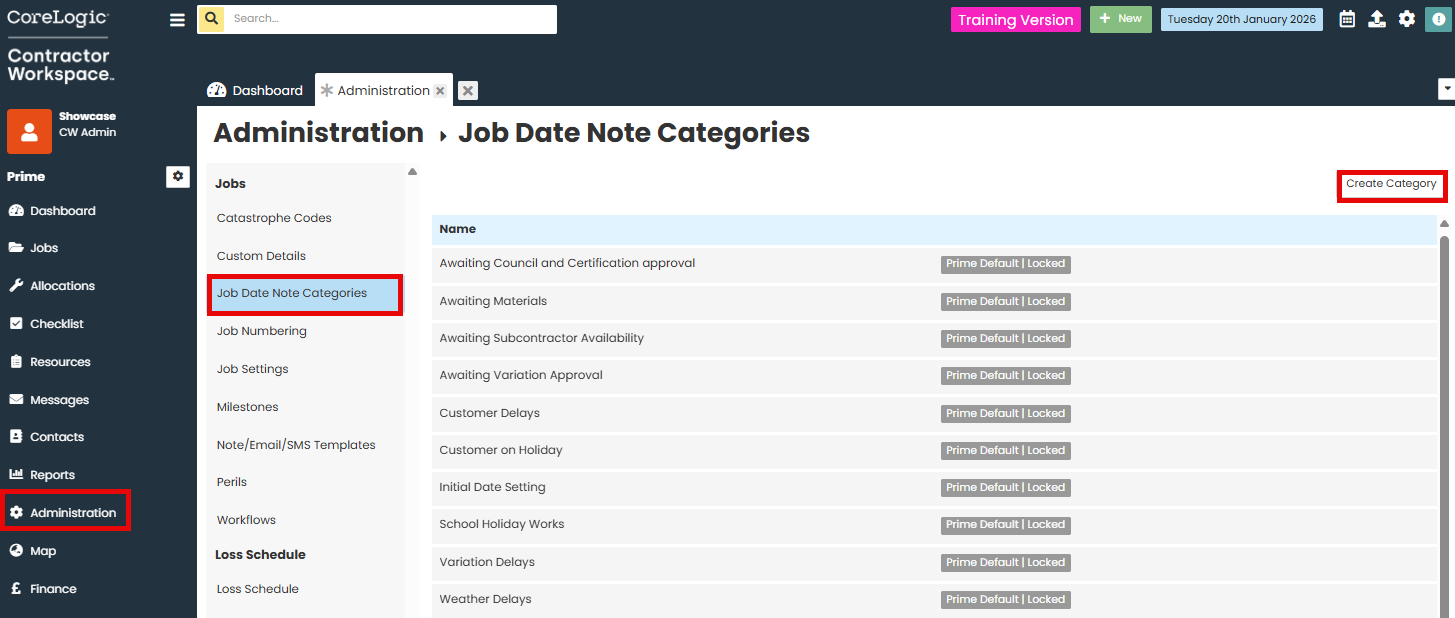
To add a new job date note category, go to Administration
Under the Jobs section, select Job Date Note Categories
Click Create Category
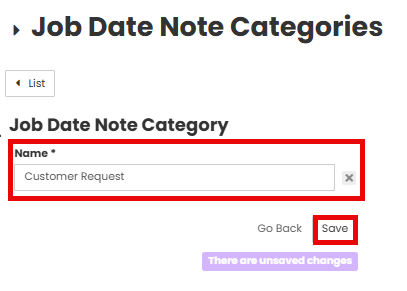
Click the Name of the category in the text box.
Click Save.
The new category will now appear in the list.
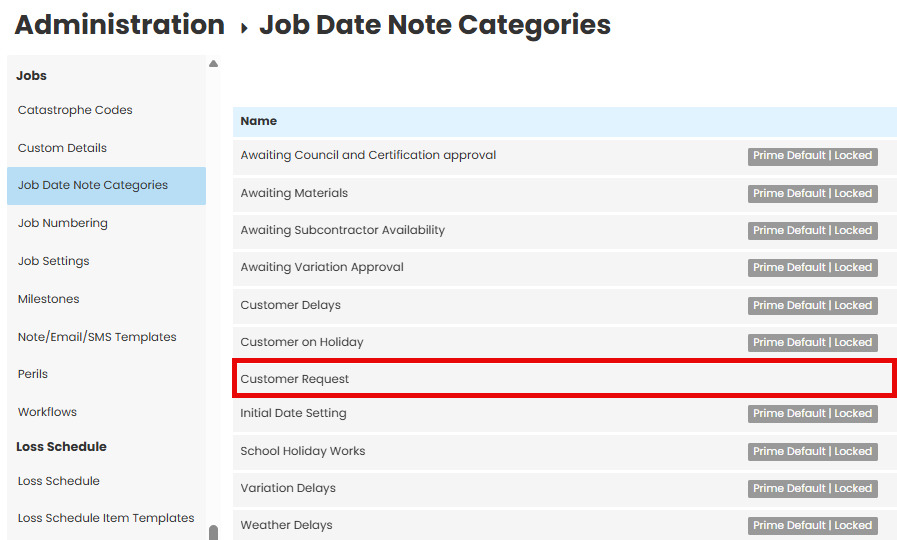
When Job dates are amended, the new Job Date Note category will be available to select.

Was this article helpful?
That’s Great!
Thank you for your feedback
Sorry! We couldn't be helpful
Thank you for your feedback
Feedback sent
We appreciate your effort and will try to fix the article