1.8 Send SMS. Version 1.8. Lat updated January 2026.
From any screen within the Job select the SMS quotation bubble icon from the right hand side of the screen.
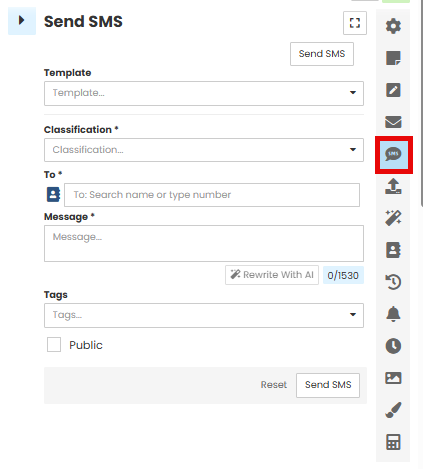
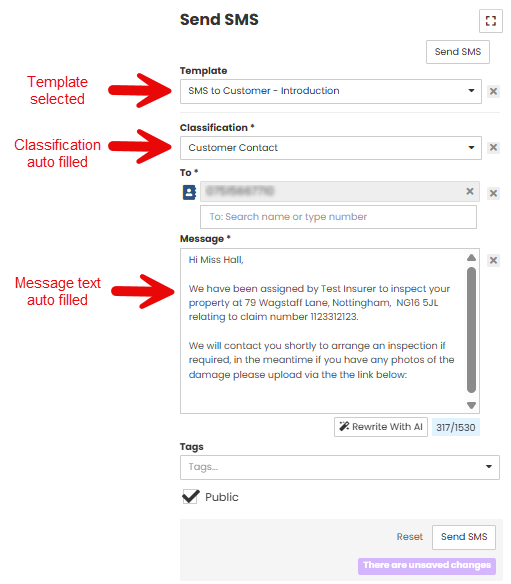
Select the Template you wish to use from the drop down list.
The Templates can be set up through Administration.
The template chosen will prefill the Classification field and auto fill the Message text box. These can then be edited as required.
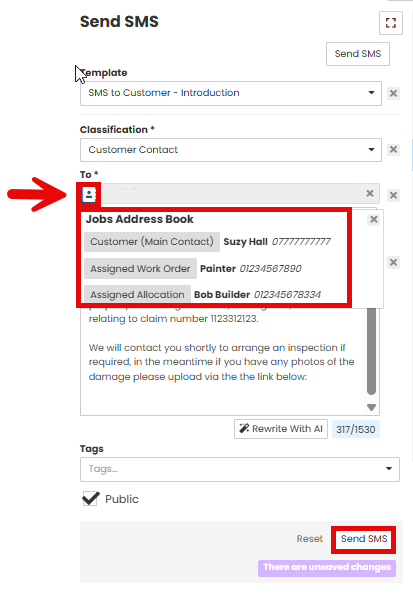
Use the Address Book icon to select the message recipient, or type the phone number into the 'To' field.
The Address Book will include anyone assigned to that specific job, Customer, Clients, trades.
Select the Send SMS button to send the message.
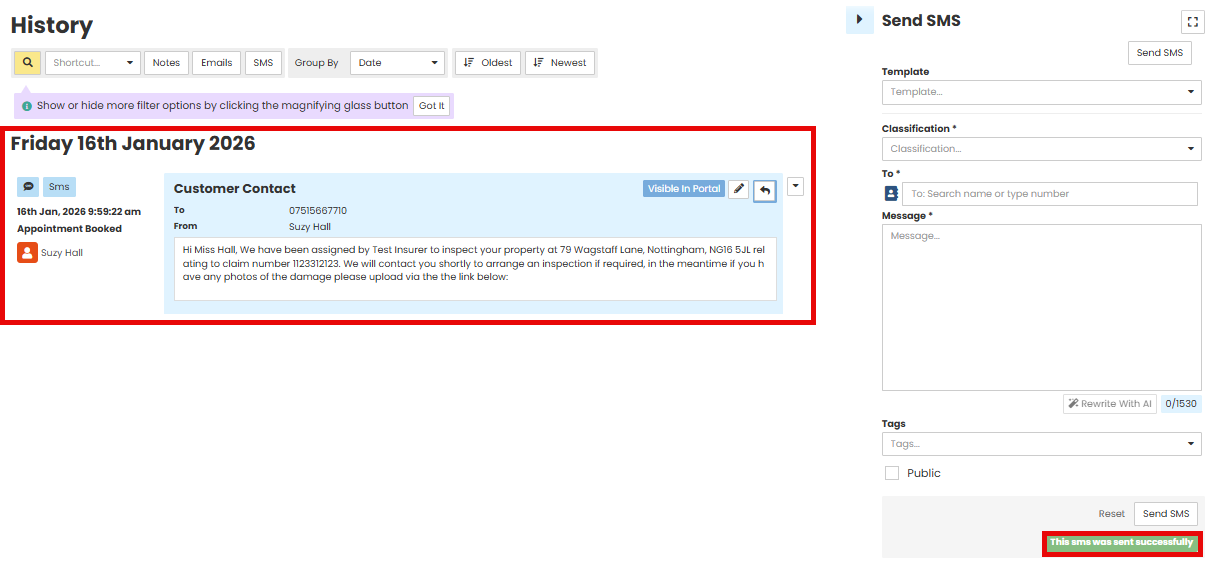
You will have a green successful message appear and the SMS you have sent will appear in the History when it has successfully been sent from Contractor Workspace. The SMS form will also reset itself.
Was this article helpful?
That’s Great!
Thank you for your feedback
Sorry! We couldn't be helpful
Thank you for your feedback
Feedback sent
We appreciate your effort and will try to fix the article