22.33 Make a User Inactive. Version 1.0. Last updated January 2026.
Make a User Inactive
Making a user inactive will:
- Prevent that user from logging in to Contractor Workspace
- Remove their name from any dropdown lists for users
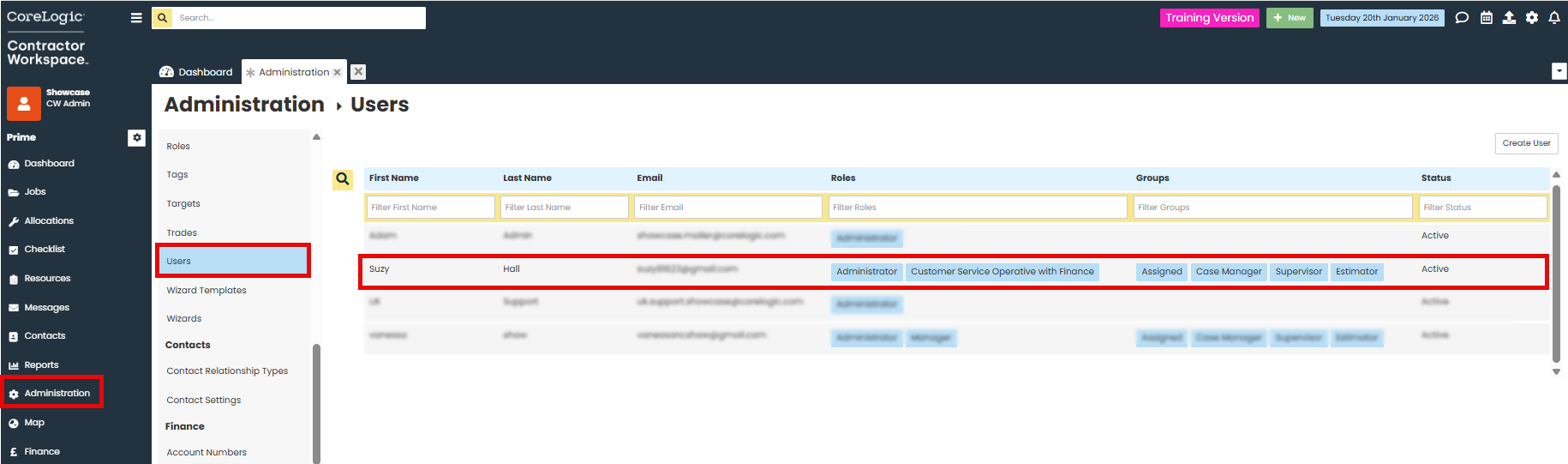
Go to Administration.
In the Company section, click on Users.
Click on the user you wish to make inactive
In the status dropdown, select "Inactive".
Save the user details.

Was this article helpful?
That’s Great!
Thank you for your feedback
Sorry! We couldn't be helpful
Thank you for your feedback
Feedback sent
We appreciate your effort and will try to fix the article