22.27 Add A New User Role. Version 1.0. Last updated January 2026.
Add a New User Role
Create a new Role in Contractor Workspace to differentiate between employees level of access within the system. You are able to limit the modules people can see, edits they can make within the system or tasks they can complete.
You will need to ensure your Role is set with 'Company' Admin, View and Edit to be able to create a new role, and access existing roles to make any changes.
1. In the left hand menu pane select Administration, a new window will open with the heading Administration and a scrollable menu below.
Scroll down the sub menu until you reach the heading Roles.
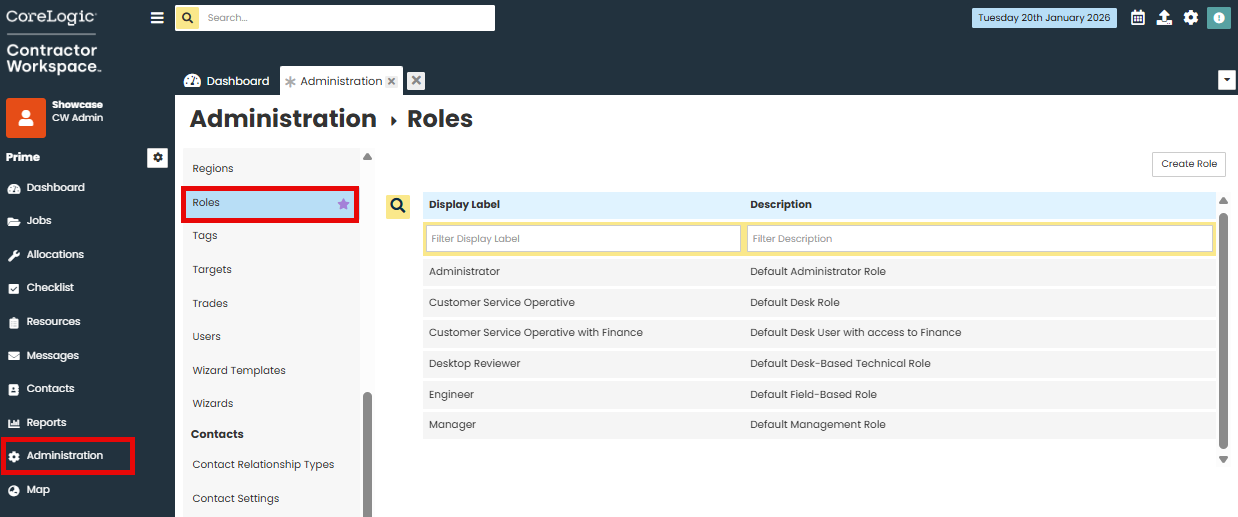
2. Select 'Create Role' in the top right hand corner of the screen.

3. Fill in the the 'Display Label' and the 'Description', text boxes.
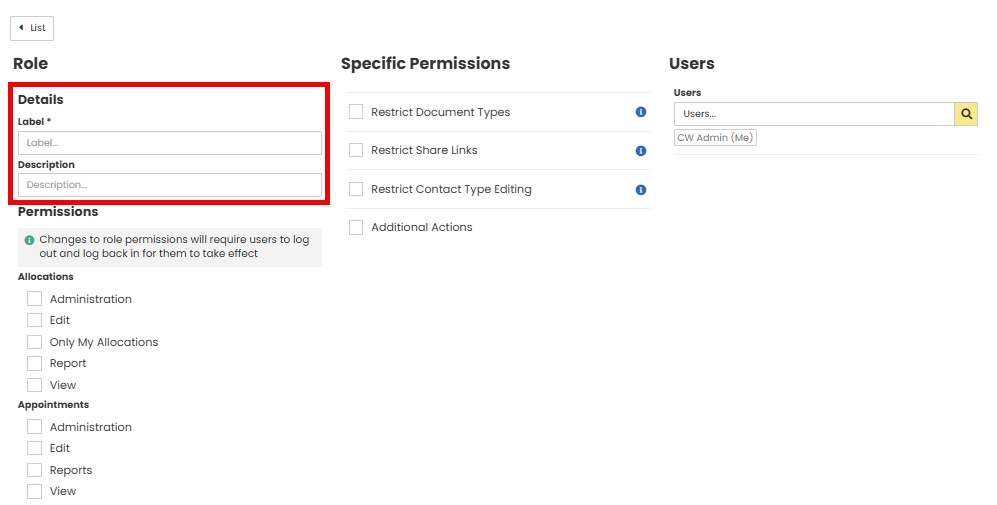
4. Select the appropriate Permissions by clicking the check boxes under each module of Contractor Workspace.
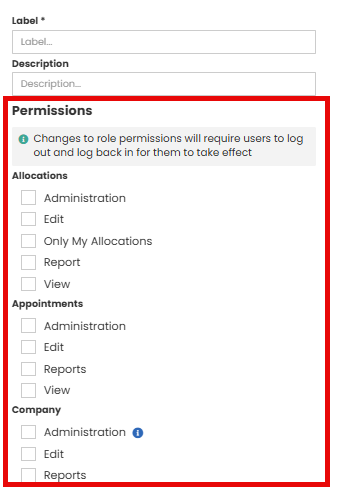
Administration - Allows you to access the Administration section from the main Prime menu and make changes to settings in the module.
Edit - Allows you to create or edit contents within the module, e.g. Creating an Invoice in Finance or editing an existing invoice.
Reports - Allows you to run a report on the module and see jobs/information across Contractor Workspace.
View - Allows you to see the module and it's contents.
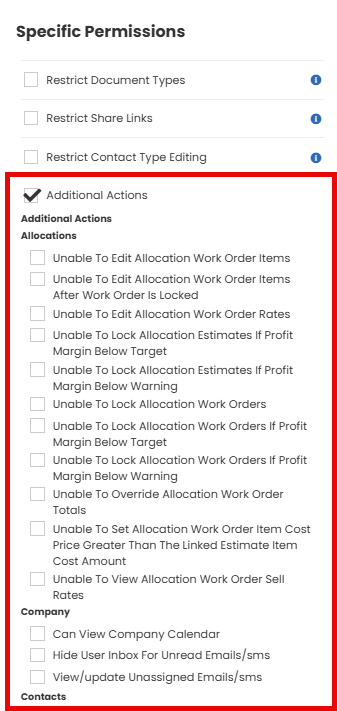
5. You can set additional Specific Permissions for the role.
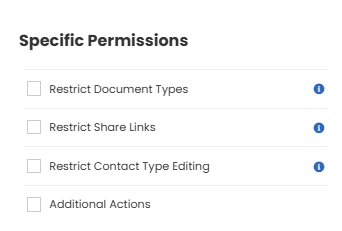
Restrict Document Types - You can limit the types of documents this role can view
Restrict Share Links - You can limit the types of Share Links this role can view
Restrict Contact Type editing - You can limit the types of Contacts this role can edit
Tick the 'Additional Actions' check box to show module break down of further restrictions that can be made to the role.
6. Once all required permissions have been selected. Click Save at the bottom of the page
Important Notes
*Any changes made to a role will require the user the role applies to, to log out of Contractor Workspace and back in for the changes to take affect.
*Having more than one role applied to a user will mean the role with less permissions will take affect.
Was this article helpful?
That’s Great!
Thank you for your feedback
Sorry! We couldn't be helpful
Thank you for your feedback
Feedback sent
We appreciate your effort and will try to fix the article