3.6 Job Tags. Version 1.0. Last Updated February 2026
Jobs Tags
Job Tags can be used to provide extra information about that particular job, the customer, or where the job is up to. They can be useful for reporting purposes to filter out different jobs.
Click the swing tag icon under the Job Status.
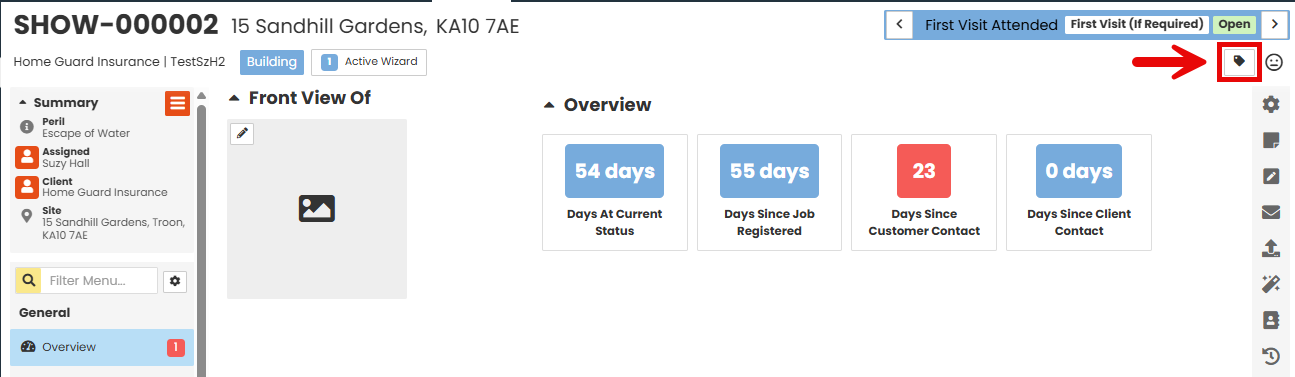
The Link Tags pop up will appear.
Select the required Tag from the drop down list (you can select as many as you like).
You can enter any information required in the Note box.
Click the Update button.
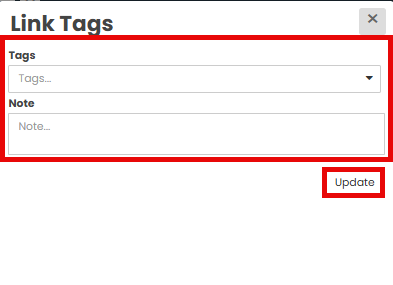
The selected Tags will appear underneath the Job Status.
To Remove the Job Tags, click the Swing Tag icon to bring the Link Tags pop up to the screen.
Click the X next to the Tag you no longer need to appear on the job, then click the Update button.
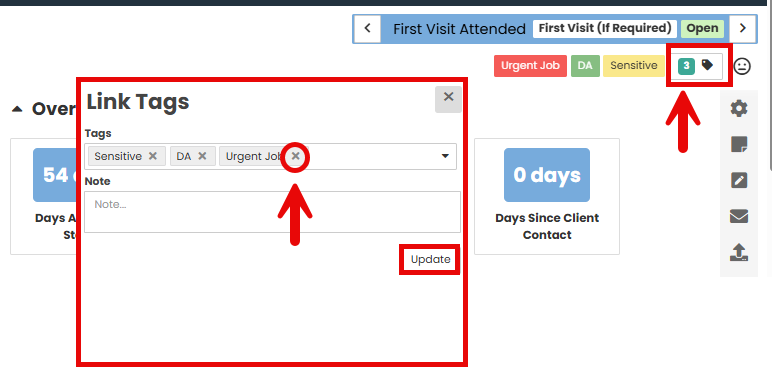
You can also add additional Tags at any time but selecting them from the drop down again.
Was this article helpful?
That’s Great!
Thank you for your feedback
Sorry! We couldn't be helpful
Thank you for your feedback
Feedback sent
We appreciate your effort and will try to fix the article