13.3 Customer Submitting Items Through the Customer Job Portal. Version 1.0. Lat updated January 2026.
Customers with access to the Customer Job Portal may also have the ability to submit notes or documents back to your job in Contractor Workspace.
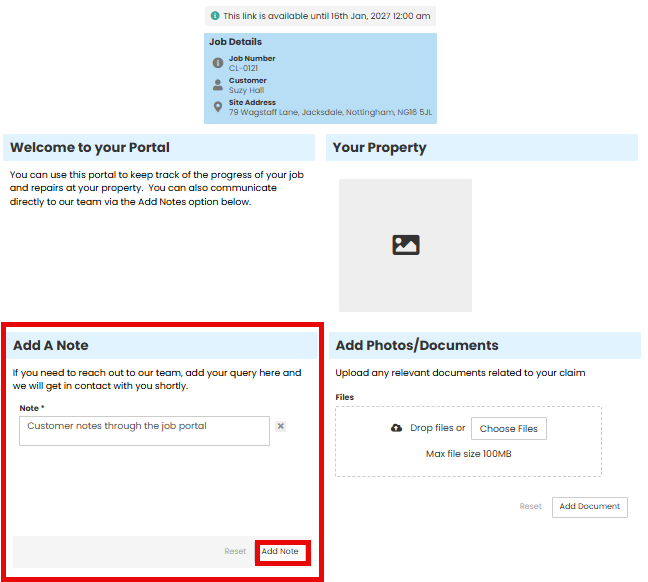
The Customer Job portal is opened through the Share Link and then a Note can be added by the customer.
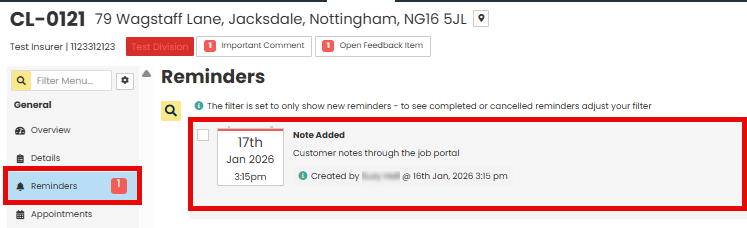
A Reminder is then created on the associated job and the relevant people notified so you are aware the note has been submitted.
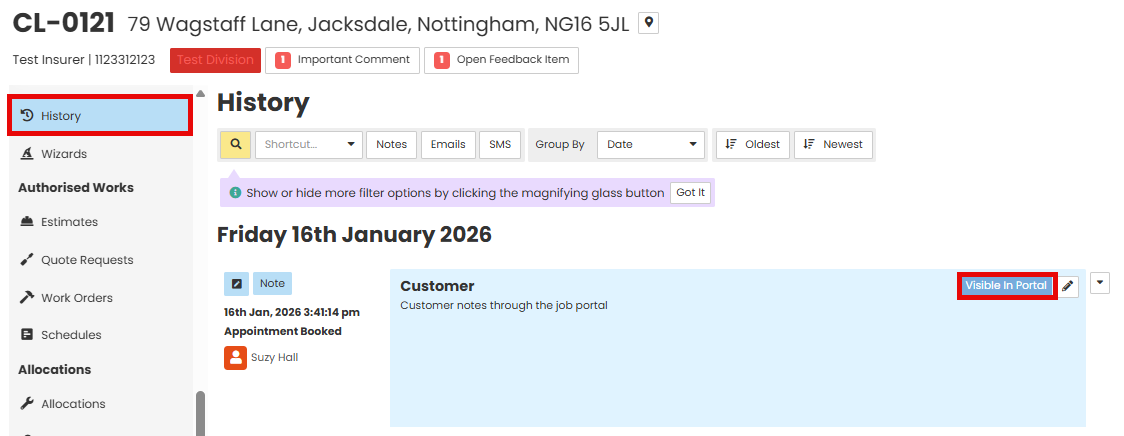
You will be able to see the note submitted by the customer in the Job History, which will also have a 'Visible in Portal' tag.
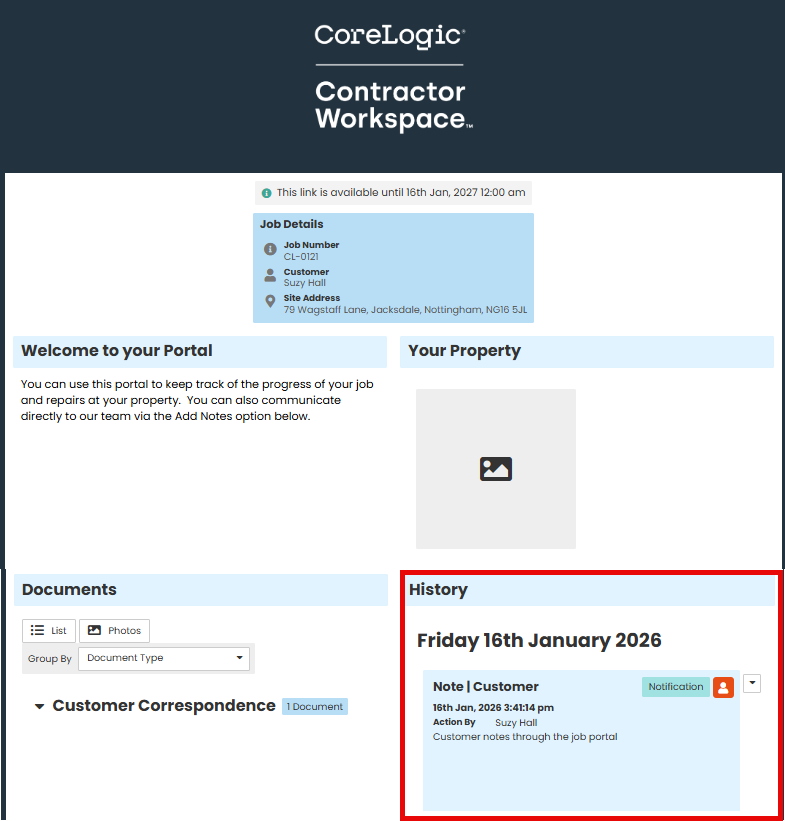
The Customer will also have visibility of the note they added within the Customer Job Portal.
Was this article helpful?
That’s Great!
Thank you for your feedback
Sorry! We couldn't be helpful
Thank you for your feedback
Feedback sent
We appreciate your effort and will try to fix the article