22.2 Add a New Expense Type. Last updated December 2025. Version 1.0
Add a New Expense Type
You are able to create new and custom Expense types so they sync across to your accounting software and match what you have for Expense types in that system.
Select administration from the left hand side menu options
Select Expense types from within the Administration menu.

Click 'Create Expense Type' in the top right hand corner of the page

Type the label of the expense type in the text box. Select 'Visible' check box. Save Changes

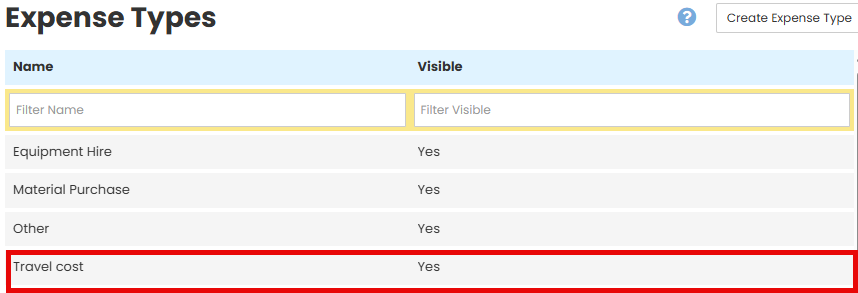
The new Expense Type will now appear in the list and can be used when adding Expenses to Jobs
Was this article helpful?
That’s Great!
Thank you for your feedback
Sorry! We couldn't be helpful
Thank you for your feedback
Feedback sent
We appreciate your effort and will try to fix the article