17.5 Add Inventory Items to a Job. Version 1.0. Last updated December 2025
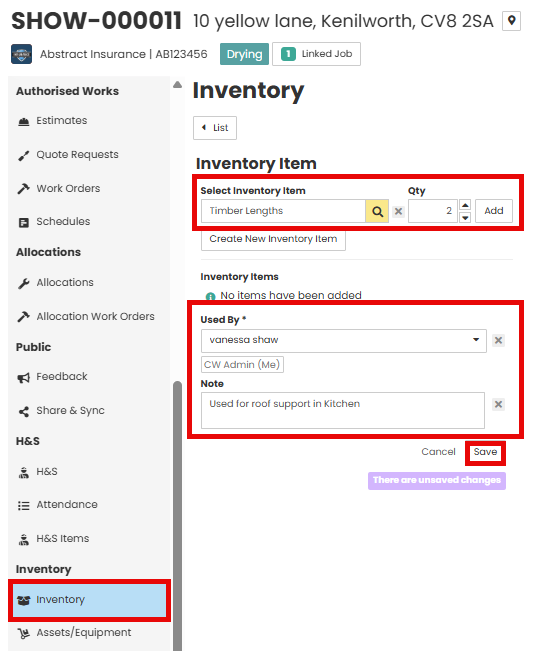
From within the job menu select Inventory. Select the inventory Item and the Quantity required. Click Add
Select the User and add relevant notes to describe the reason for use.
Save changes.
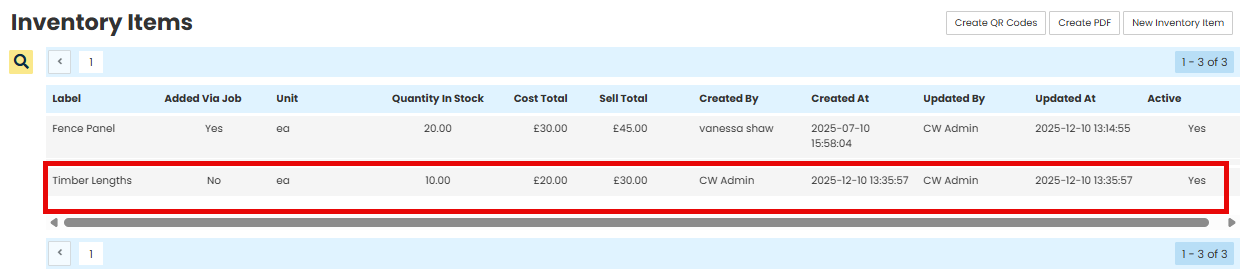
The available quantity will be reduced within Resources - Inventory items

Was this article helpful?
That’s Great!
Thank you for your feedback
Sorry! We couldn't be helpful
Thank you for your feedback
Feedback sent
We appreciate your effort and will try to fix the article